
Restart the VM device model
The Restart device model option enables you to restart the device model of a VM or VMs. Restarting the device model can enable the VM to benefit from fixes and improvements included in an update.
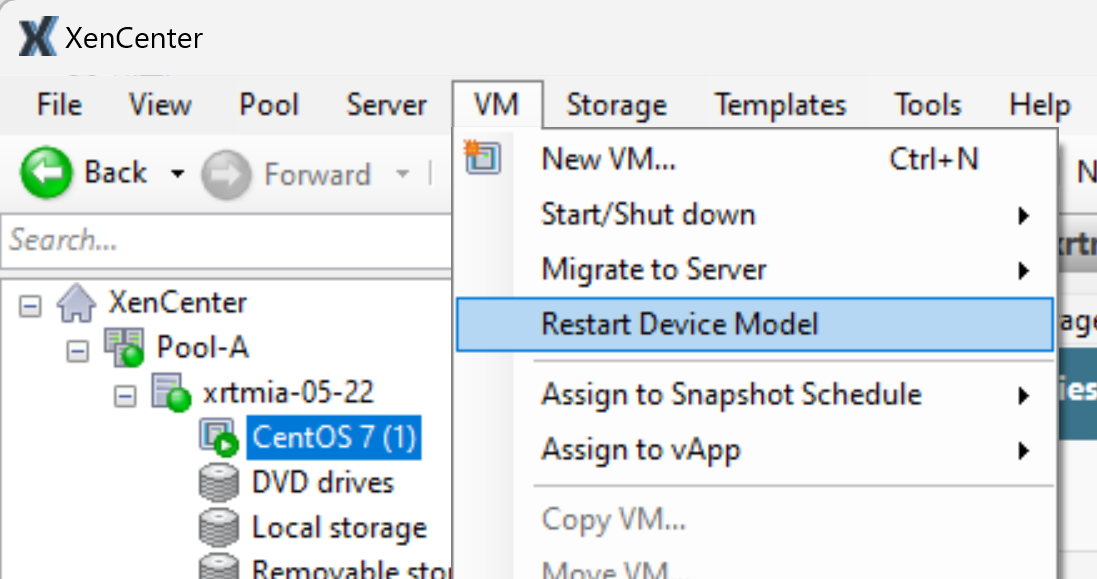
To restart the device model
-
Select the VM or VMs in the Resources pane.
-
On the VM menu, click Restart device model.
-
Click Yes to confirm.
While the device model restarts, the VM shows a yellow triangle icon in the Resources pane ( ). You cannot stop, start, or migrate the VM during this time.
). You cannot stop, start, or migrate the VM during this time.